

How It Works
When a fleet clicks an invitation link, they’re guided through a streamlined onboarding process:1
Fleet Opens Invitation
Fleet clicks the magic link you created via the Organizations API.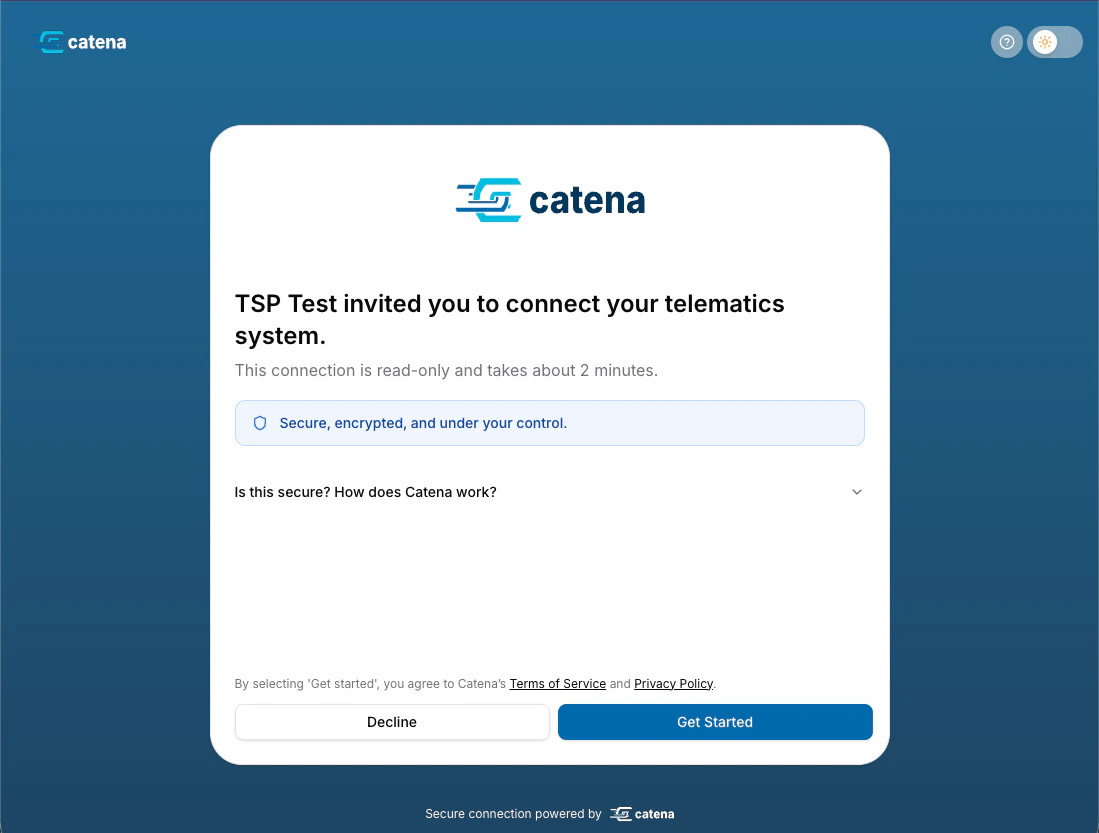
2
Fleet Selects TSP
Fleet chooses their telematics service provider from the supported list.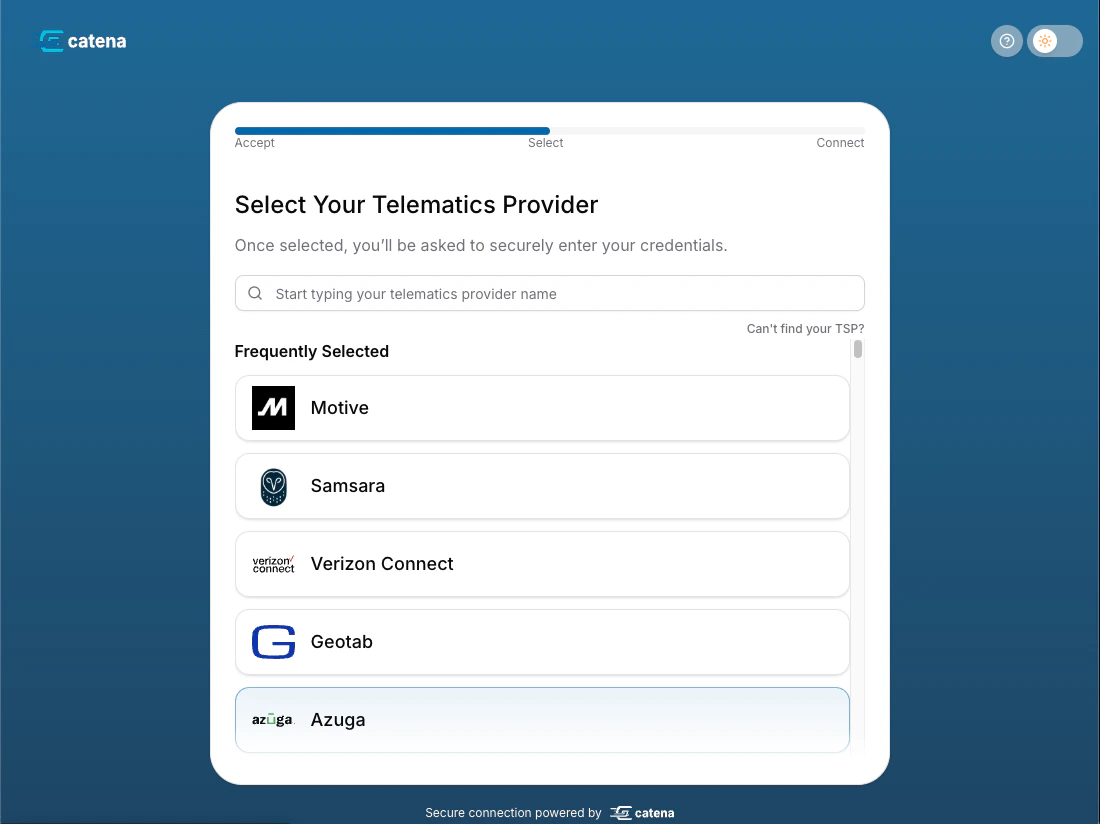
3
Fleet Provides Credentials
Fleet enters their TSP credentials (API keys, OAuth tokens, or login credentials depending on the provider).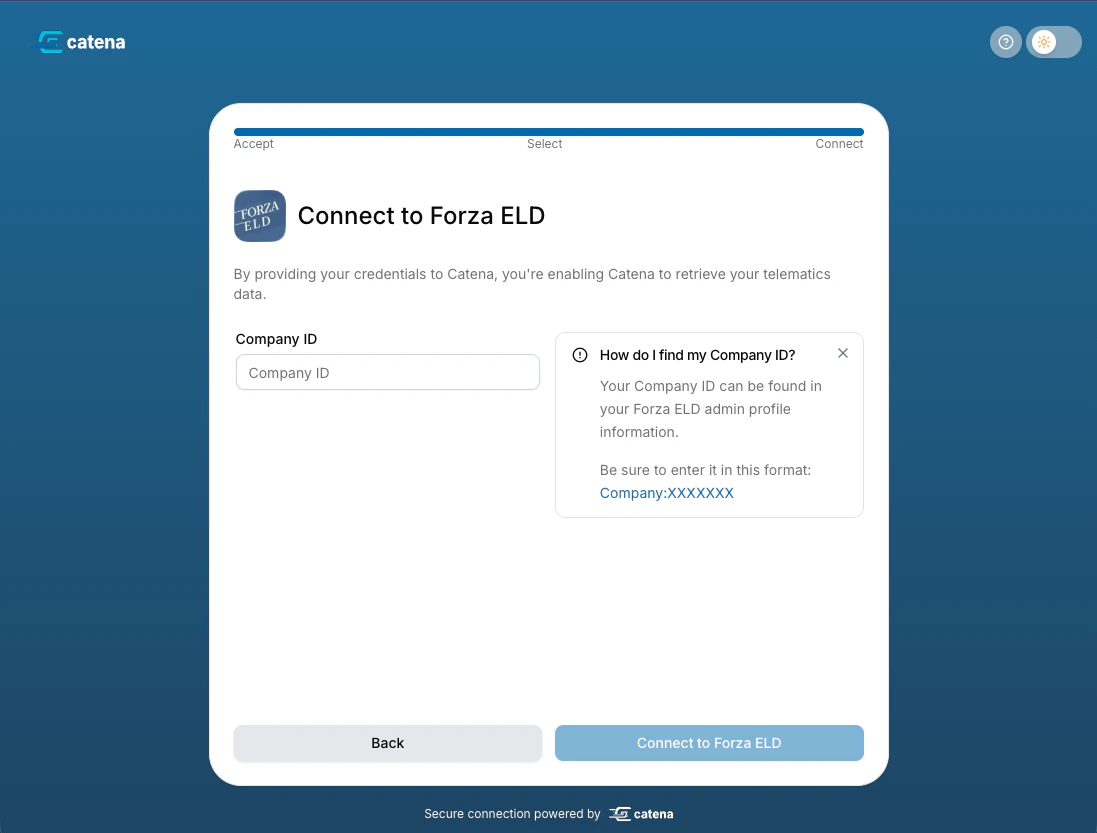
4
Connection Created
Catena validates credentials with the TSP, creates the connection, and establishes the share agreement.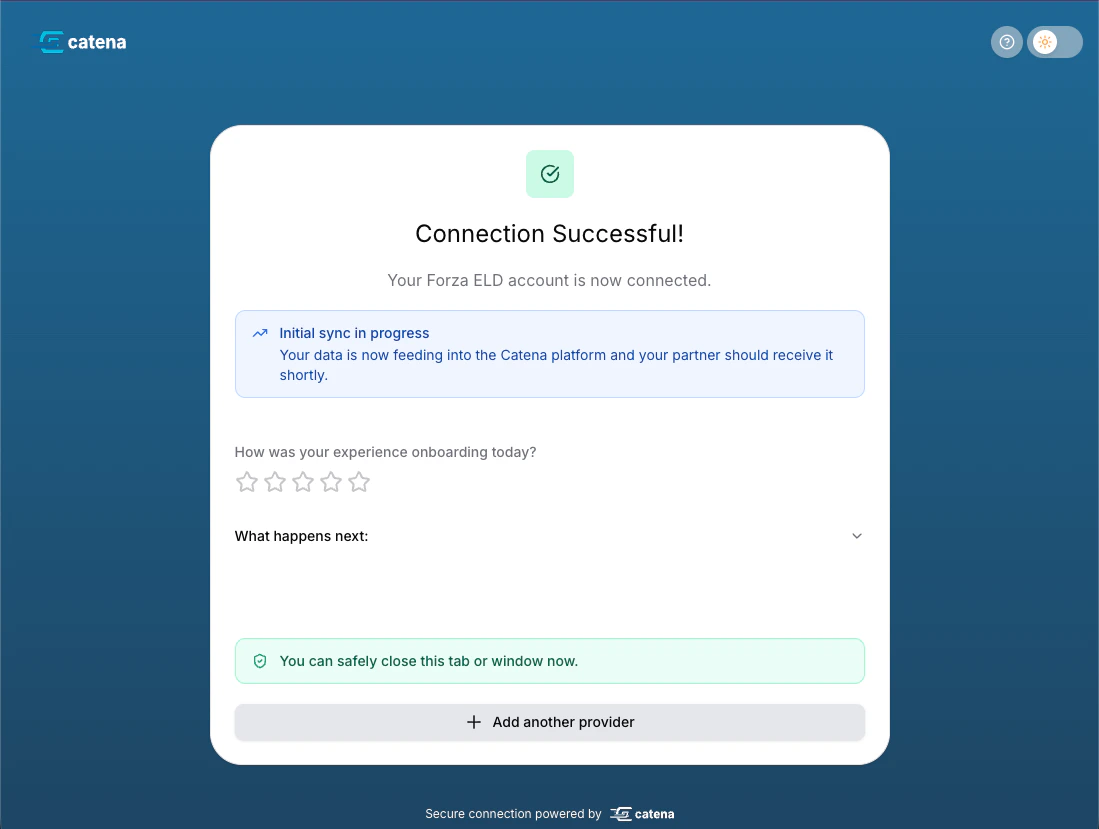
5
Add More TSPs or Complete
Fleet can choose to connect additional telematics providers (if they use multiple TSPs) or complete the onboarding process.
6
Fleet Redirected
When the fleet presses Return to followed by your name, they are sent to the
success_redirect_url you configured in the invitation. When the flow is embedded with the Connect embed SDK in an iframe or popup, nothing redirects: the SDK reports the outcome through callbacks. The exception is a popup whose launching page has closed or navigated away, which falls back to the redirect URLs.Customization Options
Catena Connect can be tailored to match your brand and integration requirements:White Labeling
Customize Catena Connect with your brand colors, logo, and domain to create a seamless experience that feels native to your platform.Per-launch branding (color and logos) can also be set through the Connect embed SDK’s presentation options when your embed key resolves.
Contact your Catena account manager to configure white labeling for your organization.
Redirect URLs
Configure where fleets are sent after completing or abandoning the onboarding flow:
success_redirect_url- Where fleets go after successful connectionfailure_redirect_url- Where fleets go if they decline consent or disconnect (status=failure), or, when the launch URL carries anembedparameter (the Connect embed SDK, or a URL built as in Without the package), request an integration (status=integration-requested). A link withoutembedsends integration requests to the success URL withstatus=integration-requested.
Limited TSP Selection
Control which telematics providers are shown to fleets during onboarding. Useful for:
- Piloting with specific TSPs
- Industry-specific provider limitations
- Custom TSP partnership agreements
limit_tsps- Show only the listed providersexclude_tsps- Show all providers except the listed ones
limit_tsps and exclude_tsps are mutually exclusive — you can set one or the other on a given invitation, not both.Fleet Metadata
Pass metadata through the invitation to pre-populate fleet information:
fleet_ref- Your internal fleet identifierpartner_provided_fleet_name- Fleet company name
Security & Compliance
Catena Connect is designed with security as a top priority:Credential Handling
Credential Handling
- All TSP credentials are encrypted at rest using AES-256
- Credentials are transmitted only over HTTPS
- Credentials are never logged or exposed in API responses
- Connections can be paused or revoked at any time by the fleet
Authentication
Authentication
- Magic links are single-use and time-limited (24 hours by default)
- Each invitation generates a cryptographically secure pre-registration token for authentication
- Links expire automatically after acceptance or expiration
- Fleets do not need to sign up (create a username/password) to use Catena Connect
Data Privacy
Data Privacy
- Fleets explicitly consent to data sharing during onboarding
- Share agreements clearly define what data will be accessed
- Fleets can revoke access at any time through Catena Connect
- All data access is logged for audit purposes
- GDPR and CCPA compliant data handling
Monitoring Fleet Onboarding
Track the status of your fleet invitations and connections:Via API
Query invitation status to see if fleets have completed onboarding:Via Webhooks
Subscribe to invitation and connection events for real-time updates: Add the callback URL when creating invitations to receive webhook notifications:Webhook Documentation
Learn how to set up, monitor and manage your webhooks.
Best Practices
Invitation Delivery
Invitation Delivery
- Embed in your product flow: Display the magic link as a button or redirect in your application for the smoothest experience, or run the flow inside your app with the Connect embed SDK
- Email with context: If sending via email, explain what the link does and why you’re requesting access
- Track expiration: Monitor invitation status and resend if needed—invitations expire after 24 hours by default
- Personalize the message: Include the fleet’s name to increase acceptance rates
Redirect URLs
Redirect URLs
- Success URL: Redirect to a confirmation page that explains what happens next (data sync timing, how to view data, etc.)
- Failure URL: Provide troubleshooting guidance or customer support contact information
- Include state parameters: Pass
fleet_refor other identifiers as query parameters to track which fleet completed onboarding - Test both paths: Ensure both success and failure redirects work correctly in your application
Error Handling
Error Handling
- Monitor declined invitations: Track which fleets decline and follow up to understand concerns
- Handle expired invitations: Automatically resend or prompt users to create new invitations
- TSP credential failures: We provide clear instructions for fleets to obtain the correct credentials from their TSP in our help sidebar
Contact Support
Have questions or need assistance? Our team is here to help you succeed.