

Redirect Outcomes
Every Catena Connect session ends with a redirect to one of your configured callback URLs. There are three possible outcomes:Successful Connection
The fleet connected at least one supported TSP. Catena redirects to your
success_redirect_url.Integration Requested
The fleet’s TSP isn’t supported yet, but they submitted an integration request. Catena redirects to your
success_redirect_url with additional parameters.Failure / Abandoned
The fleet exited the flow without connecting a TSP or submitting an integration request. Catena redirects to your
failure_redirect_url.Integration requests use the success URL. Submitting an integration request is treated as a successful outcome—the fleet completed the available next step. Your success handler must check the
status parameter to distinguish a live connection from a pending integration request.Redirect Examples
- Successful connection
- Integration requested
- Failure / Abandoned
Query Parameters
Handling Integration Requests
When your success handler receivesstatus=integration-requested, the fleet has completed everything they can for now. A typical response:
1
Acknowledge the Fleet
Display a confirmation message explaining that their ELD provider has been requested and that they’ll be notified when it becomes available.
2
Store the integration_request_id
Persist the
integration_request_id so you can match it against future webhook notifications when the integration goes live.3
Grant Temporary Access (Optional)
If your platform supports it, grant the fleet provisional access while the integration is pending. This avoids blocking carriers who are otherwise ready to onboard.
4
Monitor via Webhooks
Catena will send a webhook notification when the requested integration becomes available. Subscribe to integration request events to automate follow-up workflows.
Fleet Experience in Connect
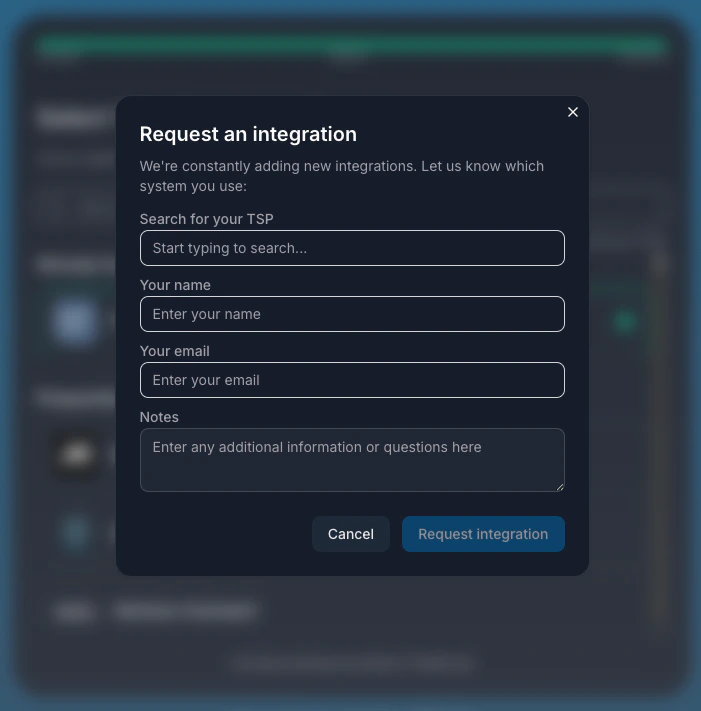
- Confirmation that Catena received the request
- Option to return to your platform
- Option to add another telematics provider
Configuring Callback URLs
Callback URLs are set when creating an invitation via the Organizations API. Bothsuccess_redirect_url and failure_redirect_url are required.
Contact Support
Have questions or need assistance? Our team is here to help you succeed.